
At this point in my ADCS lab build, I have the three environments set up on the different host machines. The reasons and methods for doing so are mentioned in previous posts, but essentially I do not have the computing resources to create the three lab environments I need on one machine so I enlisted the help of a spare PC and Intel NUC along with my daily driver laptop to create the labs in Virtualbox, VMWare, and Proxmox. Each lab has its own firewall/router via PFSense with the idea being that I can connect the three environments through a VPN on each PFSense box to connect to the other environment if necessary.
The main reasons for needing to do this is to be able to monitor all the boxes with centralized logging using an open source SIEM called WAZUH. Rather than set up rules to open the required ports and map the NAT translation rules for each box, I chose to connect them as a site-to-site VPN using IPSec. This setup revolves around a Security Association (SA) which uses cryptographic operations with a shared secret from which other keys are derived, therefore establishing a trust between networks. This traffic is encrypted over the wire, encapsulated with the ESP protocol. This can encrypt the entirety of the the traffic, including the headers and most importantly we can use this to essentially bridge two subnets together as if they are on the same LAN. Currently my subnets look like this:
| lab name | internal subnet | routers | WAN IP |
| GOAD lab | 10.3.0.0/24 | one router/firewall | 192.168.50.213 |
| Distributed Lab | 10.5.0.0/24 | one router/firewall | 192.168.50.251 |
| DMZ lab | 172.21.0.0/24 | two routers/firewalls | 192.168.50.104, 10.10.0.254 |
Setting up the IPSec tunnels is rather painless in PFSense as there is a guided wizard to point you to the correct settings and excellent documentation at PFSense’s website. Each tunnel with have two “phases” configured, one for the WAN configuration to establish the tunnel over udp port 500 the other bridges the subnets together as if they are on the same switch. Firewall rules can then be set to confine communications between these subnets, however I chose to leave them completely open to each other.
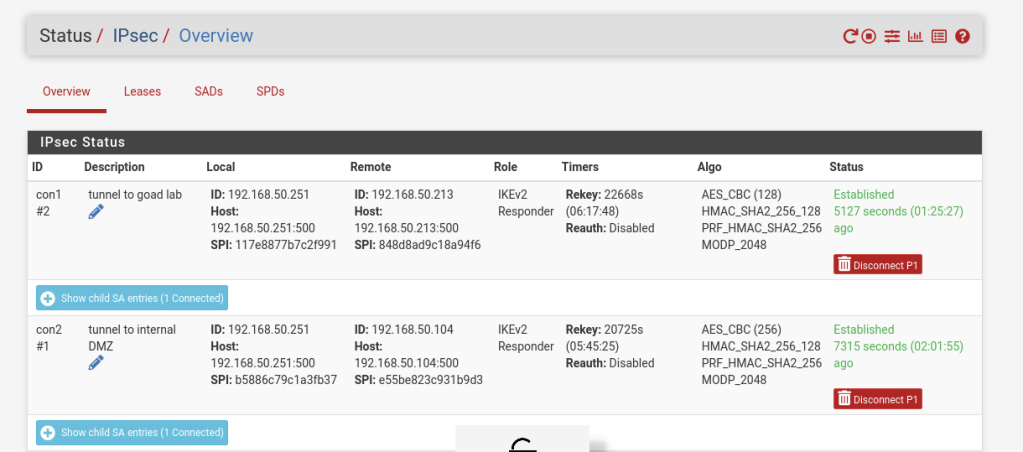
I will be connecting tunnels to be able to gather logs from all hosts into a SIEM as well as practice penetration testing ADCS from one kali box on the 10.5.0.0/24 subnet. To accomplish this the router in the GOAD network will tunnel to the Distributed Lab. The first router in the DMZ lab will tunnel to the Distributed lab. This means the Distributed lab will have two IPSec relationships as shown below.
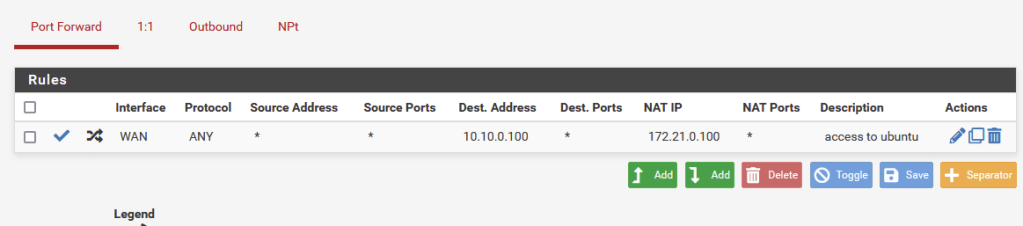
Note: Because the first router in the DMZ connects to another router for the internal DMZ LAN, NAT rules will need to be created to allow access to the hosts on the LAN subnet. To help with this, PFSense has a handy feature called “Virtual IPs” which can be used for aliasing internal IPs to create a 1 to 1 NAT setup. Because this 1 to 1 NAT is only setup on the internal router, the internal VMs are still shielded from the WAN by the first router. I will be mapping the aliases in the form of 10.10.0.xx, with the last octet matching the last octet of the host in the 172.21.0.0/24 LAN subnet.
Phase 1
Phase 1 for each tunnel will set the IPSec Gateway (the WAN address of the router that will be connected) and also set the secret key to distribute to the other site. Each Phase 1 will have a leader and a follower, with the leader setting what happens if the connections are disrupted as well as the accepted encryption algorithms.
Phase 2
Each phase 2 connection sets the local subnet to connect to. For example in the tunnel connecting GOAD to the Distributed Lab, it will be connecting 10.5.0.0/24. Again, encryption algorithms are negotiated as well as rekey times.
Its important when setting these values to allow one site to be the leader by allowing it to decide rekey times and taking the lead in reconnecting lost connections. In PfSense the former is called “LifeTime” and we set the follower to a 10% longer lifetime, so the leader will always initiate new keys first. Also, to allow the leader to handle lost connections we set the follower to be a “Responder only” in the Child SA Start Action.
In my lab the GOAD and DMZ labs are set as the leaders, with the Distributed Lab tunnels being the followers.
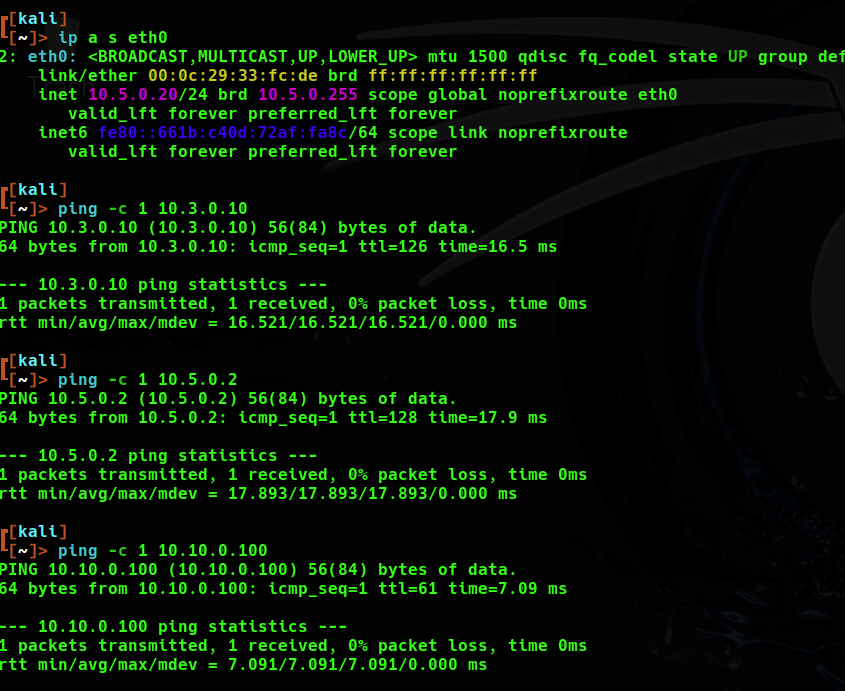
It took a bit of work but the results allowed me to run nmap scans from kali to any box in any lab, which was nice. Also, this will come in handy when we set up the SIEM.
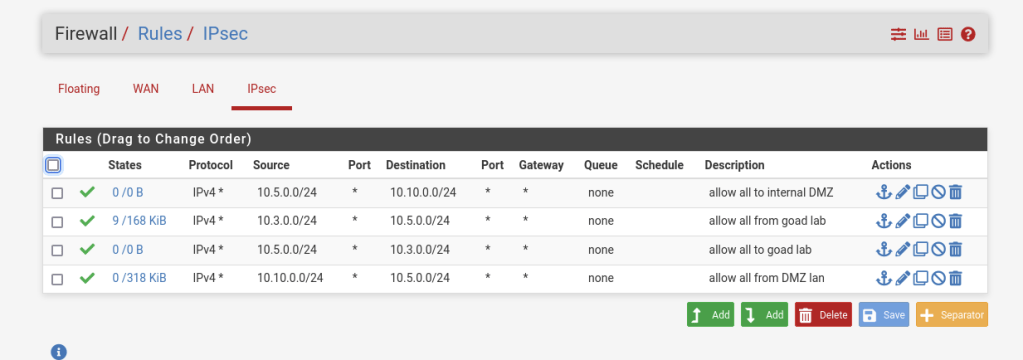
To maximize connectivity I set each firewall to allow all traffic to and from these tunnels as shown below.
 Hackers With a heart